2025 Members will receive an email with login instructions to this new website. Please log in with your temporary login name and password and complete your profile. You will have the opportunity to select a new login name and password. Within a few days of launching the site, the renew button should appear when you select your member profile. If you were a 2025 member and did not receive an email, check your spam and junk folders. If unable to locate, please contact treasurer@trilogyartists.com
Your renewal window starts January 1 of each year. Thirty days before your membership expires, you'll receive one or more alerts to the email address in your Member Profile. You may also see a notice when you sign into your club website or view your Member Profile.
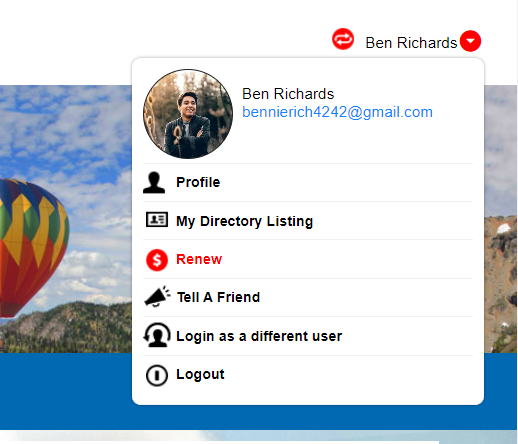
Click the Renew icon to go through the Renewal Wizard. You may be asked to revisit questions you answered when you signed up, or you can confirm your contact information. It's a good idea to review the information for accuracy.
Once you renew your membership, you'll receive a confirmation email. If a fee is required, your membership will be renewed once the required fee has been paid to your club. Once you've paid the fee, you'll receive a separate confirmation email.
Payment will be made during the renewal process online. If you cannot make payment online or if you need help renewing your membership, please contact the treasurer at:
treasurer@trilogyartists.com